Choose the Source Photo
Drop, paste, or select the final square or rectangular image you want to divide.

Turn one finished photo into nine equal tiles, preview every cut, and download the complete grid as a ZIP.
3 slides · 4:5 → Recommended canvas: 3240 × 1350 px
Drag the source preview or use the position sliders and Zoom to refine the crop.
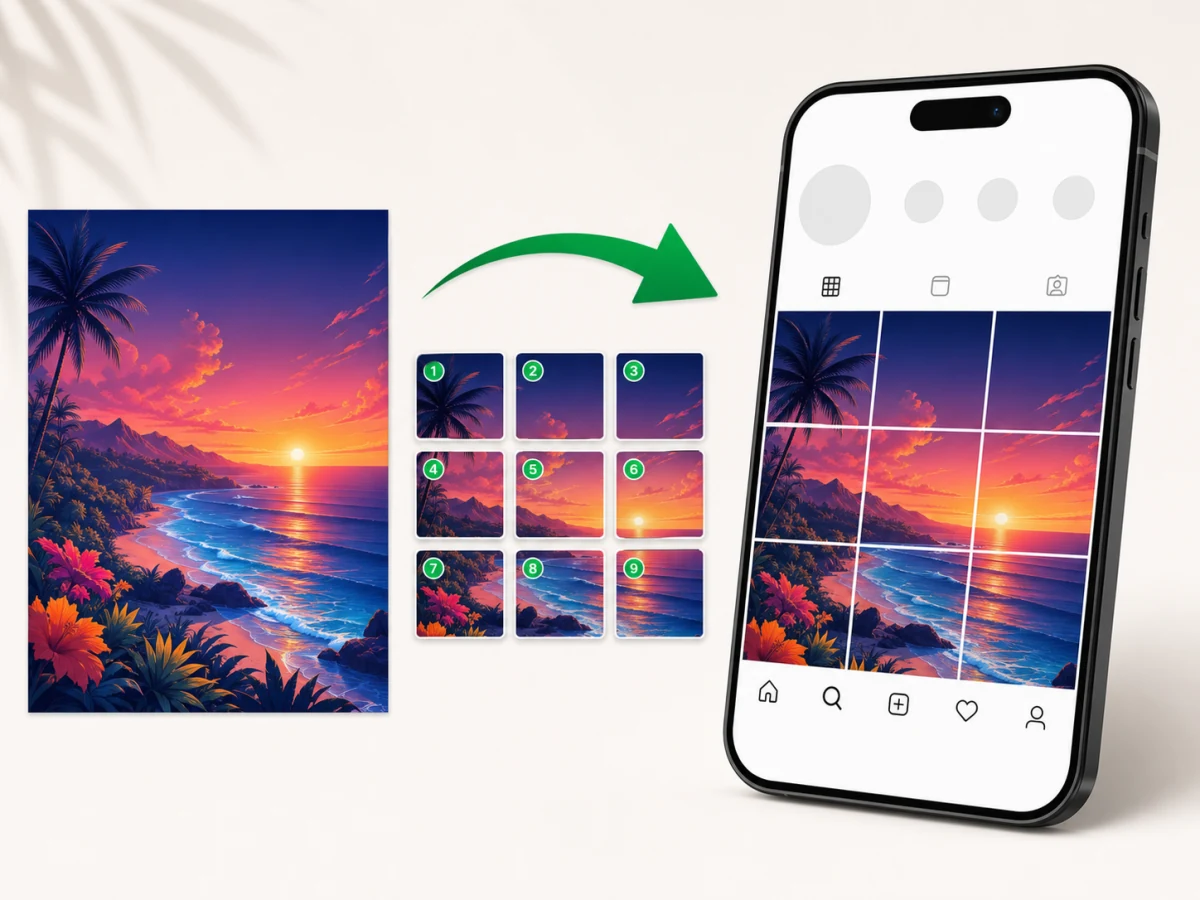
This Instagram Grid Maker opens the shared Image Splitter engine with a 3x3 layout selected. The upload, preview, split, and download controls are on this page, so you can complete the task without moving to another tool.
Three rows and three columns create nine equal source-image tiles.
Use JPG, PNG, WebP, GIF, AVIF, or another image format supported by your browser.
Export individual PNG, JPG, or WebP tiles, or download all nine files in a ZIP.
The photo is processed locally with Canvas and is not uploaded for splitting.
An Instagram Grid Maker divides one finished image into separate tiles that can be used as a profile-grid starting point. This page creates a 3x3 split, which means the source image becomes nine equal pieces arranged in three rows and three columns.
The tool calculates every boundary from the same source image. That avoids the small gaps and repeated cropping errors that can appear when nine pieces are prepared by hand. If the source width or height is not divisible by three, edge tiles can differ by one pixel so every source pixel is preserved.
A profile mosaic is sensitive to platform presentation. Use the preview to protect faces and text from cut lines, then verify Instagram's current profile crop and posting behavior before publishing a live campaign.
Choose a complete image, keep the 3x3 preset, inspect the cut lines, and create nine organized files. The Instagram Grid Maker runs the full workflow on this page.
Drop, paste, or select the final square or rectangular image you want to divide.
The page starts with three rows and three columns. You can still choose another grid when the project changes.
Check that faces, headlines, logos, and product details do not sit on a tile boundary.
Create the split and export the complete ZIP or save only the individual files you need.
Complete the typography, color, and image treatment before splitting. Editing nine separate files later makes alignment harder and can introduce inconsistent edges.
The live overlay shows where the 3x3 grid will divide the image. Move critical text and faces away from those boundaries in the source design before the final export.
Generic grid exports use row and column positions in their file names. Keep the ZIP as the master package so every tile remains associated with the original split.
Instagram can change how profile thumbnails are cropped and displayed. Check the current app preview before committing a campaign, especially when the mosaic contains text near an edge.
An Instagram grid uses multiple profile posts to assemble one larger visual. Use this page when the nine exported tiles should function as separate source pieces for that mosaic.
A carousel keeps all slides inside one post and gives the viewer a left-to-right sequence. Open the Instagram Carousel Splitter when one wide design should continue across connected slides.
Open Image Splitter Online for custom rows, columns, single-row panels, or a grid larger than 3x3.
The Instagram Grid Maker divides the original image dimensions instead of resizing the full image first. Choose PNG for crisp graphics and text, or use JPG and WebP when smaller photo files matter more.
The source file is decoded and split on your device. The image contents, exported tiles, and file name are not sent to an image-processing backend.
The core 3x3 split works without an account. The output tiles remain clean and do not receive an Image Splitter logo or watermark.
Choose the photo, keep the 3x3 layout, review the grid lines, and create nine equal image tiles. Download the ZIP and use the row and column file names to keep the pieces organized.
Use a high-resolution square image when you want nine square source tiles. A rectangular image also works, but each tile follows the source proportions. Preview the result and check Instagram's current profile crop before publishing.
No. The page decodes, previews, and splits the photo locally in your browser with Canvas.
Yes. Create the split, then download the nine tiles together as a ZIP. You can also download individual PNG, JPG, or WebP files.
No. A profile grid uses separate posts that form a mosaic. A carousel keeps multiple connected slides inside one post.
No. The exported grid tiles do not include an Image Splitter watermark, logo, frame, or overlay.